Get insights like this delivered to your inbox
Join 2,500+ GTM professionals. No spam, unsubscribe anytime.
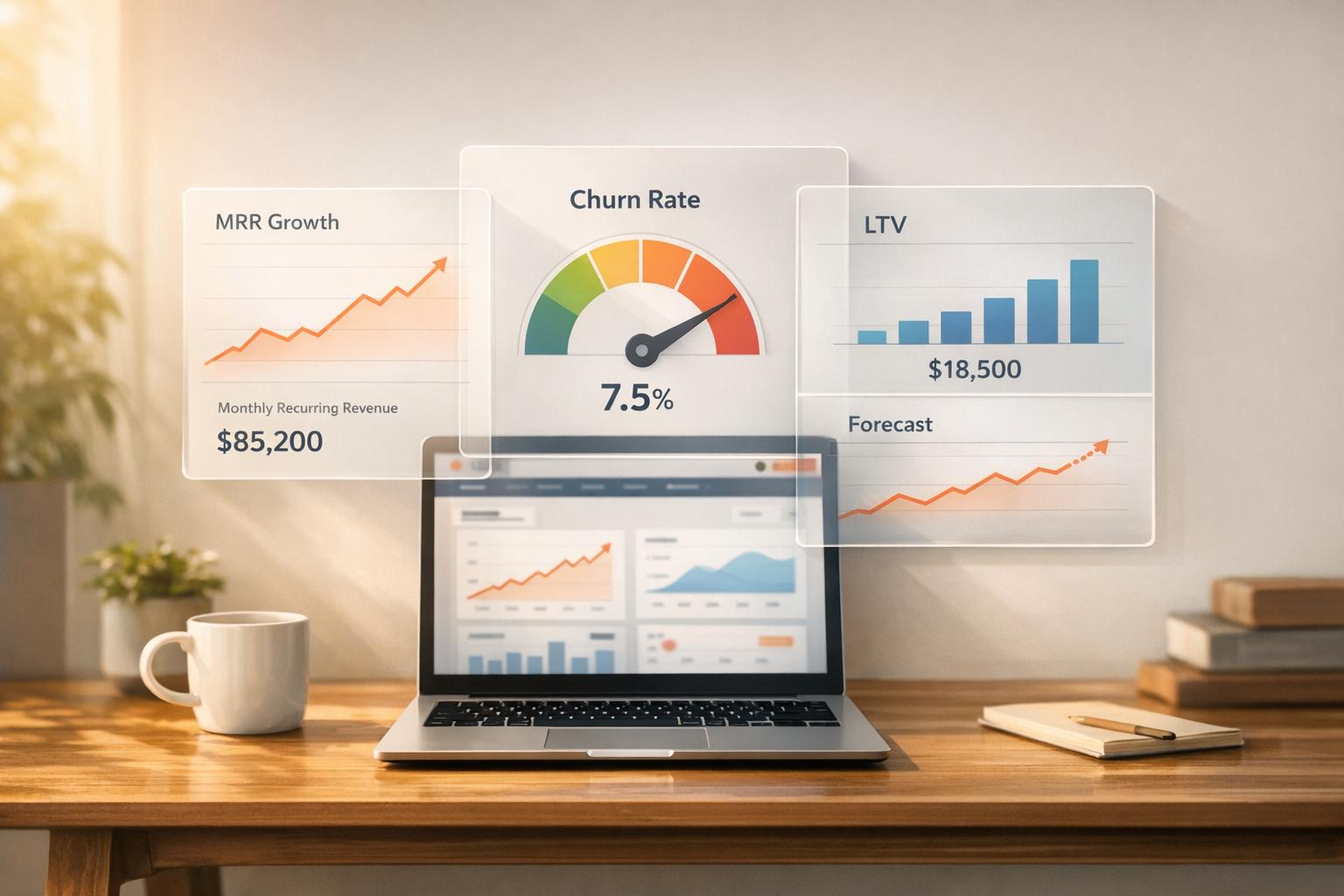
Subscribe to NewsletterIn SaaS, tracking metrics like MRR, CAC, and churn is critical, but scattered data across teams can make this challenging. HubSpot dashboards solve this by centralizing data into one place, enabling real-time insights and better decision-making. This guide explores three dashboard options for SaaS businesses:
- HubSpot Native Dashboards: Easy-to-use, real-time updates, ideal for standard metrics like ARR and churn.
- Custom Dashboards with API Integrations: Combine HubSpot data with external sources for advanced KPIs like LTV and multi-channel attribution.
- Vestal Hub Unified Dashboards: Consolidate marketing, sales, and customer success data into unified, role-specific views.
Each option has unique strengths, from simplicity to advanced customization, depending on your team's needs and technical resources.
Get the Most Out of HubSpot: Must-Have Core Reports in 2024 📊
sbb-itb-69c96d1
1. HubSpot Native Dashboards
HubSpot's built-in dashboards come with a user-friendly drag-and-drop editor, making it easy to bring together data from deals, activities, and campaigns into one place. Whether you're tracking SaaS metrics like Net New ARR, churn rate, or Customer Lifetime Value (LTV), you can use HubSpot's pre-built templates or create custom reports tailored to your needs. The platform offers a variety of visualizations, including bar charts, line charts, and gauges, giving you a clear view of your key SaaS KPIs.
Metric Coverage
HubSpot's dashboards cover essential metrics that drive SaaS growth. You can monitor closed-won revenue, forecasted revenue versus targets, pipeline value by stage, deal velocity, and CAC payback. For retention efforts, the Customer Retention Dashboard helps you keep an eye on churn rates and assess the effectiveness of your retention strategies. It also highlights weighted pipeline stages and flags upcoming renewals, offering insights into both new bookings and the health of your existing customer base.
Customization Options
Dashboards can be filtered by date ranges, owners, teams, or pipelines, allowing you to focus on specific areas of your business. HubSpot's Custom Report Builder also lets you combine data from various objects for deeper insights. However, there are some limitations to be aware of. Dashboards are capped at 50 reports (an increase from 30 as of September 2025), and reports with more than 100 values in the "Break down by" property may trigger a "Too many data points" error. Additionally, users have found it challenging to create side-by-side historical comparisons, like year-over-year or quarter-over-quarter views, within a single report.
Automation and Real-Time Capabilities
HubSpot dashboards automatically update in sync with CRM changes, eliminating the need for manual data entry or spreadsheet work. You can also schedule automated email or Slack updates, ensuring your leadership team stays informed with weekly reports - without lifting a finger. This automation not only saves time but also shifts the focus of meetings. As Hubjoy puts it: "Instead of debating data accuracy, meetings focus on decisions". However, it's worth noting that the accuracy of your dashboards depends entirely on consistent data entry. Missing lifecycle stages or deal probabilities can throw off your forecasts.
2. Custom HubSpot Dashboards with API Integrations
When HubSpot's built-in dashboards fall short of meeting your SaaS business needs, API integrations can step in to bridge the gap. By pulling data from external systems - such as Google Analytics, e-commerce platforms, or financial tools - you can combine it with your HubSpot CRM data to create comprehensive reports. This approach is particularly useful for tracking SaaS-specific KPIs that rely on multiple data sources, like calculating Customer Lifetime Value (LTV) segmented by marketing campaigns or developing multi-channel attribution models. With this integration, you not only expand your data sources but also gain sharper insights into your metrics.
Metric Coverage
Custom dashboards powered by API integrations go beyond HubSpot's native capabilities. They allow you to track advanced metrics like customer health scores, pipeline forecasting, recurring revenue, and the number of customers subscribed to specific tiers. For subscription-based businesses, these dashboards can include commerce-focused metrics such as invoices and subscription statuses. Developers can even use HubSpot's APIs to create React-based UI extensions and app cards. These tools surface SaaS-specific insights directly in the CRM, making the data both visible and actionable for sales and customer success teams.
Customization Options
API integrations give you the freedom to design data interfaces tailored to your unique requirements. With the Custom Object API, you can report on data structures that don’t fit into HubSpot’s standard objects like Contacts or Deals. Additionally, you can export HubSpot data to Business Intelligence tools like Tableau, Power BI, or Looker for more in-depth analyses, such as cohort studies or sales pipeline forecasting. Developers can also add interactive features - like table filters, sorting, and overlays - to make dashboards more user-friendly and actionable for end-users.
Automation and Real-Time Capabilities
API-integrated dashboards excel in providing near real-time data updates. While reports built using HubSpot’s report builder refresh automatically every two hours (with an option for manual updates every 15 minutes), API integrations can deliver continuous updates. HubSpot’s data sync checks for changes every five minutes, and third-party apps can use webhooks to instantly notify HubSpot of updates. For SaaS businesses with high-touch models, developers can create custom UI extensions that connect directly to live data, bypassing the standard refresh limitations entirely.
3. Vestal Hub Unified Revenue Operations Dashboards
Vestal Hub takes HubSpot's capabilities to the next level by providing a "system of insight" that consolidates revenue data from marketing, sales, and customer success into one unified dashboard. This approach makes it easier to track key performance indicators (KPIs) and ensures data is clear and actionable. By leveraging both HubSpot's native features and custom API integrations, Vestal Hub creates a more cohesive view of your metrics, enabling deeper analysis.
Metric Coverage
These dashboards offer a detailed look at critical metrics like Net Revenue Retention (NRR), Expansion MRR, Contraction MRR, and Net New MRR. Additionally, they provide insights into funnel conversion rates across different lifecycle stages, helping you understand how prospects move from trials to becoming paying customers.
Customization Options
With cross-object reporting, Vestal Hub connects HubSpot objects and uses time-shifted logic to link leads from 90 days ago to current deals. The dashboards also feature role-specific views, allowing CFOs and Sales VPs to zero in on the metrics that matter most to their decision-making.
Automation and Real-Time Capabilities
Vestal Hub simplifies SaaS customer journey tracking by automating lifecycle management through technical RevOps support. It keeps tabs on key events like trial starts, trial ends, and activations, ensuring accurate conversion tracking. The real-time pipeline monitoring feature provides instant updates on deal movement and stage velocity, giving your team the ability to address challenges before they affect revenue. By automating these lifecycle events, Vestal Hub makes tracking and managing revenue operations more efficient while delivering actionable insights in real time.
Pros and Cons
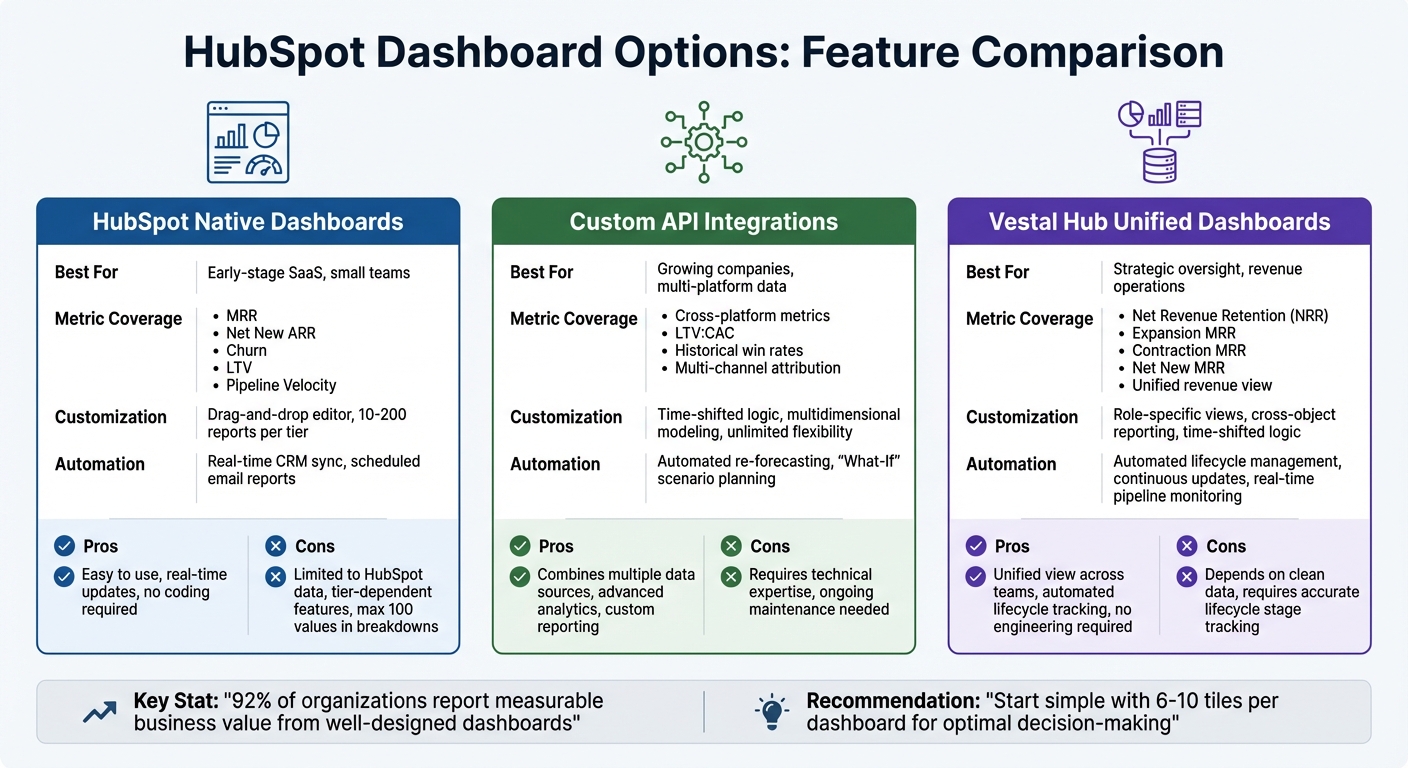
HubSpot Dashboard Options Comparison for SaaS Metrics
Each type of dashboard comes with its own strengths and limitations, making the choice dependent on your specific needs and resources.
HubSpot Native Dashboards provide real-time updates as CRM data changes, eliminating the need for manual spreadsheet work. They’re perfect for tracking standard metrics like net new ARR, churn, and LTV. However, their functionality is tied to your subscription tier. For instance, reports may fail when the "break down by" property includes more than 100 values, and advanced features like custom funnel reports are only accessible on Professional and Enterprise plans.
Custom HubSpot Dashboards with API Integrations solve cross-platform data issues. For example, they allow for time-shifted funnel reporting, such as comparing leads from 90 days ago to current closed-won deals - something native HubSpot reporting doesn’t support. The trade-off? These integrations demand technical expertise and ongoing maintenance to ensure data pipelines run smoothly.
Vestal Hub Unified Revenue Operations Dashboards blend HubSpot's native features with custom API integrations. They automate lifecycle management and provide unified, role-specific views, enabling teams to act on insights rather than just collect data. However, their effectiveness relies heavily on accurate lifecycle stage tracking. If your data isn’t clean, it can disrupt attribution analytics and funnel optimization efforts.
Here’s a quick comparison of these options:
| Feature | HubSpot Native Dashboards | Custom API Integrations | Vestal Hub Unified Dashboards |
|---|---|---|---|
| Metric Coverage | MRR, Net New ARR, Churn, LTV, Pipeline Velocity | Cross-platform metrics, LTV:CAC, historical win rates | Unified revenue view across marketing, sales, and customer success |
| Customization Options | Drag-and-drop editor; limited to 10–200 reports per tier | Time-shifted logic and multidimensional modeling | Unified reporting with role-specific views |
| Automation and Real-Time Capabilities | Real-time CRM sync and scheduled email reports | Automated re-forecasting and "What-If" scenario planning | Automated lifecycle management with continuous data updates |
Ultimately, the best choice depends on your team’s technical expertise and the complexity of your reporting needs. HubSpot Native Dashboards are ideal for straightforward CRM tracking, Custom API Integrations work well for teams managing data across multiple platforms, and Vestal Hub offers a comprehensive solution that combines the best of both worlds without requiring extensive in-house engineering.
Conclusion
Selecting the right HubSpot dashboard hinges on your company’s growth stage and the type of insights you need for daily decision-making. For early-stage SaaS companies focusing on basic sales activities - like tracking calls made, meetings booked, and deals closed - HubSpot Native Dashboards are a solid starting point. These templates are designed for small teams and work best when all your data resides within HubSpot's CRM system.
As your business grows and your data starts spreading across multiple platforms, Custom HubSpot Dashboards with API Integrations become essential. These dashboards handle more complex reporting needs, such as cross-object reporting and marketing attribution, while pulling in data from campaigns, sales activities, and even product usage. This setup is ideal for companies with technical resources available to build and maintain data pipelines, especially if you’re managing multiple product lines or longer sales cycles.
For a more strategic perspective, Vestal Hub Unified Revenue Operations Dashboards offer streamlined views of critical metrics like Net New ARR, churn rates, and forecast accuracy. These dashboards consolidate data from marketing, sales, and finance into role-specific insights, cutting down the time spent on manual spreadsheet work. However, clean lifecycle tracking is key - without it, even the most advanced dashboards can fall short.
Interestingly, 92% of organizations report measurable business value when dashboards are designed to answer specific business questions. To maximize effectiveness, dashboards should focus on actionable metrics rather than vanity stats, with 6–10 tiles per dashboard being the sweet spot for decision-making. Start simple and expand your dashboard capabilities as your business grows and your needs evolve.
FAQs
How do HubSpot’s native dashboards update with real-time data?
HubSpot’s built-in dashboards update in real time, ensuring you’re always working with the latest data. This means you can monitor key SaaS metrics - like MRR (Monthly Recurring Revenue), churn rate, and LTV (Lifetime Value) - as they shift, empowering you to make informed decisions when it matters most.
With these dashboards dynamically reflecting changes as they happen, you get a clear and reliable snapshot of your business performance. This keeps you well-positioned to fine-tune and improve your SaaS operations effectively.
How can API integrations enhance custom HubSpot dashboards for SaaS metrics?
API integrations play a crucial role in enhancing custom HubSpot dashboards by connecting data sources and automating workflows. They let you link HubSpot with other tools and systems, ensuring your data updates automatically without the need for manual input. This means your dashboards always reflect accurate, real-time information - an absolute must for making smart decisions in a SaaS business.
Using APIs, you can design dashboards tailored to track essential SaaS metrics like Monthly Recurring Revenue (MRR), churn rate, and Customer Lifetime Value (LTV). You can even pull in data like product usage or revenue attribution, giving you a more comprehensive view of your performance. By automating data collection and delivering deeper insights, API integrations empower SaaS companies to spot trends, respond quickly, and drive growth with greater efficiency.
Why should SaaS companies use Vestal Hub Unified Dashboards for tracking key metrics?
SaaS companies gain a significant edge with Vestal Hub Unified Dashboards, which are crafted to simplify the process of tracking and managing key metrics like Monthly Recurring Revenue (MRR), churn rate, and Customer Lifetime Value (LTV). These dashboards offer a consolidated, real-time view of performance, enabling teams to make informed decisions without dealing with complicated setups or integrations.
What makes Vestal Hub dashboards stand out is their flexibility and ease of use. They seamlessly integrate with HubSpot and other tools, allowing businesses to centralize data from sales, marketing, and customer success teams. This integration eliminates data silos, enhances visibility, and helps SaaS companies spot trends, resolve bottlenecks, and identify growth opportunities - all essential for boosting revenue and minimizing churn.